Procedure For Entering Wraps
Definition:
A wrap is the process of adding a second unit/week to an existing contract.
Prior Contract: The original contract written, prior to adding a second unit/week.
Wrap: A contract after the addition of a second unit/week.
Background:
Prior to a contract being wrapped, the contract must be in good standing, i.e.; it must be full down, have a status of "N" or "F " and no additional down payment monies can be due.
All Owner information in the Prior Contract should be verified as accurate. A significant portion of the Owner information will be transferred from the Prior Contract to the Wrap.
Special attention must be paid to the phone number on the original contract and the phone number on the new survey. If an Owner's phone number has changed between when the original contract was written and when the tour associated with Wrap occurs, the phone number on the original contract should be changed, and an entry made in notes, to reflect the newest information.
No determination as to mortgage or Owner Association delinquencies will be rendered in performing the Wrap. It is the responsibility of the Contracts office to notify the appropriate entities.
The following environmental variables must be set prior to executing the wrap program:
ADD=YES
WRAP_ADD=YES
A Wrap requires that a new, second survey (Wrap Survey) be entered or exists. The use of the survey associated with the Prior Contract is NOT recommended as it will distort historical sales statistics. Performing a Wrap will require that the Wrap Survey have a manifest date. With the exception of Market Source, Solicitor(s), and Sales People, all information found in the Wrap Survey MUST correspond to the Prior Contract.
NOTE: Upon completion of the Wrap, the Owner will have Two (2) contracts in good standing. The wrap executable will NOT automatically change the status of the Prior Contract to A "U". The status change on the Prior Contract should not occur until the Wrap is out of rescission.
Procedure
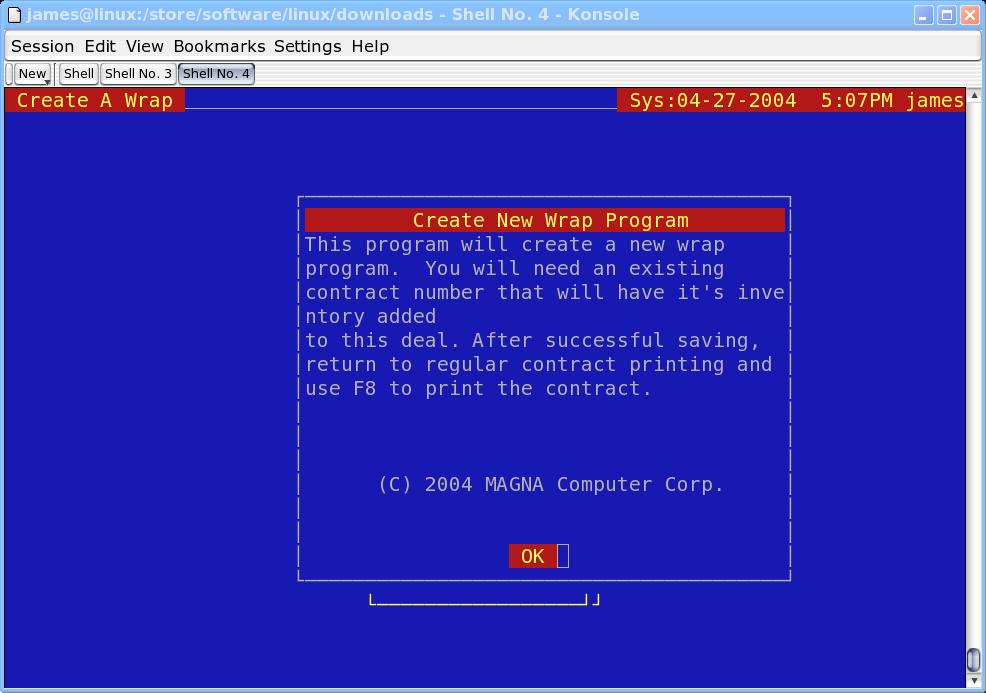
Execute the Wrap executable from your menu:
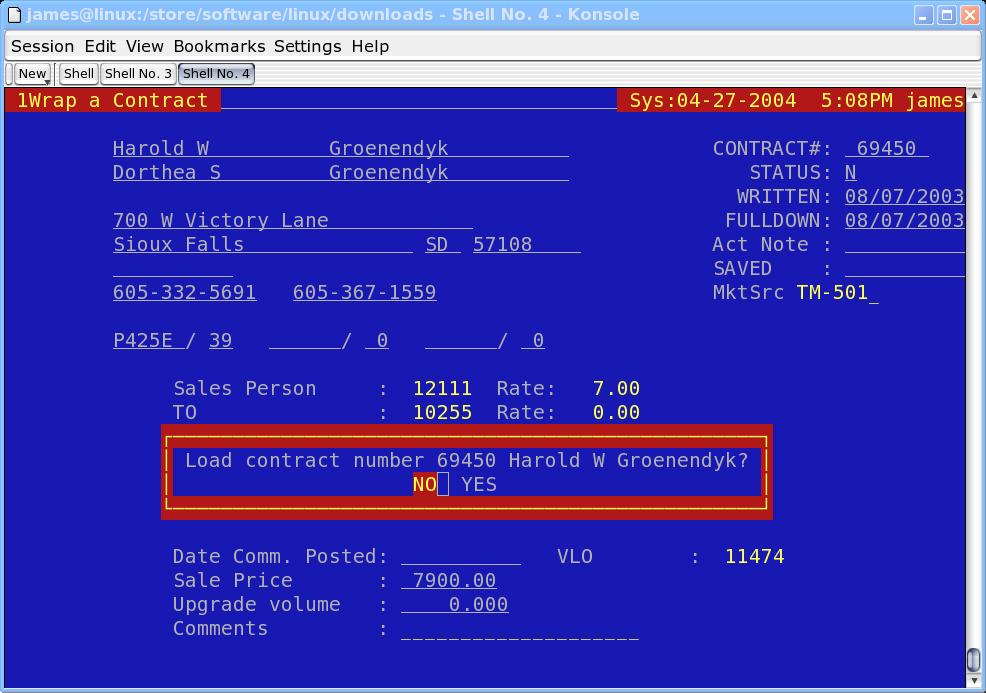
The screen will prompt for a contract number. Enter the contract number of the Prior Contract. The screen will prompt you to load the information from the Prior Contract. Move the cursor to the "Yes" box and hit "Enter".
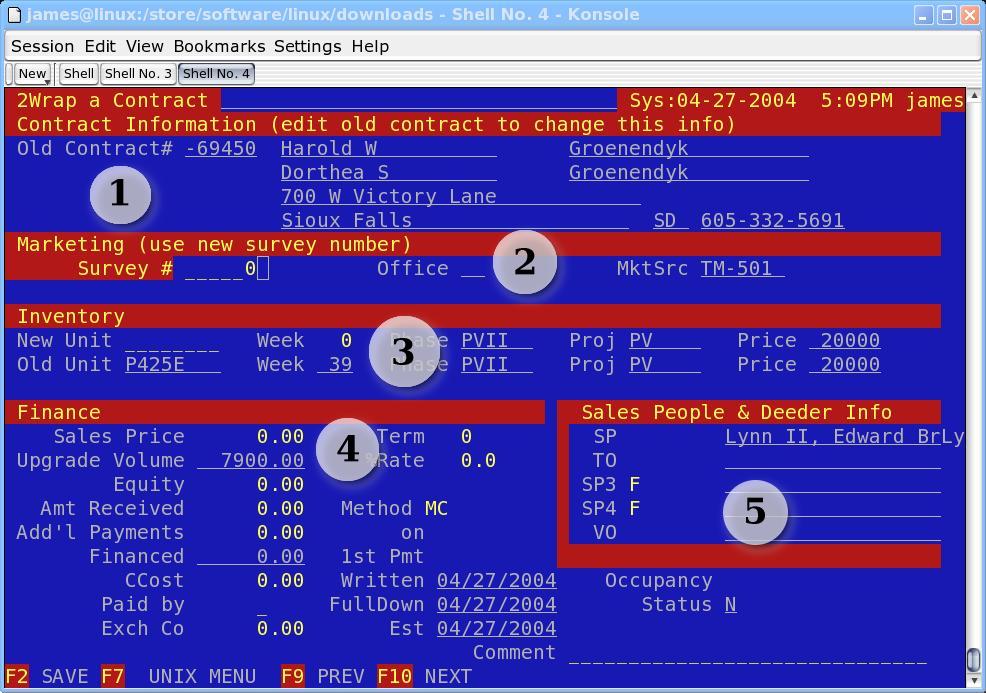
The screen in divided into five (5) sections and must be processed in the order in which it appears on the screen:
1. Contract Information

No additional information is entered in this section and is provided purely for information purposes only. The data reflects the values from the Prior Contract. Note that the Prior Contract number shows as a negative, with a "-" in front of the number to indicate that this is a new sale.
2. Marketing

Enter the new survey here. The Office and Market Source will automatically populate from the survey. If the phone number on the survey does not match the phone number showing on the Prior Contract, an error message will display.
3. Inventory

This section is divided into two (2) areas, the Wrap Inventory (second unit/week) displays on the first line, while the Prior Contract unit/week displays on the second line. Enter the Wrap unit and the Wrap week in the appropriate spaces. The Phase, Project, and Price fields will automatically populate from the inventory information. Note that the Price showing is the List Price associated with the Wrap unit/week. The information is provided as a guideline to establish a minimum value.
4. Finance & Dates
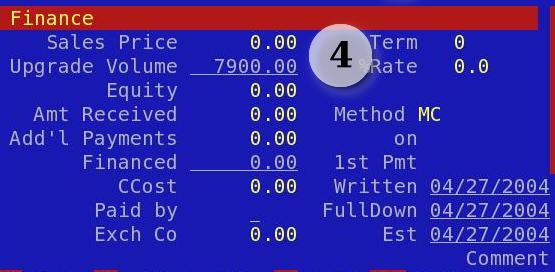
Money
Sales Price: Default to the sum of the price on the Prior Contract plus the List Price of the Second unit/week. This amount may be over-ridden to reflect the pricing of the Wrap.
Term: Enter the term, in months, of the length of financing provided by the developer.
APR: Enter the Annual Percentage Rate (APR) of the interest rate being charged the borrower by the Developer. Example, 16.9.
Upgrade Volume: This is a calculated value, and is the difference between the Price of the Wrap and the Price of the Prior Contract. It is NOT a user editable field.
Procedure (Continued)
Equity: Enter the amount of equity, if any, being transferred from the Prior Contract. This field is used to determine the mortgage amount of the Wrap.
Amt Received: Enter the amount received at the point of sale, exclusive of any additional down payments which may or may not be due. After this field is entered, the Financed amount field will calculate automatically.
Method: Enter the method, VS, MC, AX, CA, CQ, which is being used to receive the down payment at the point of sale.
Add'l Payments: Enter the amount, if any, of the additional down payment due. Entering a number in this field will cause the Financed field to automatically recalculate.
On: If additional down payment monies are due, enter the date they are to be processed.
Ccost: Enter the amount of closing costs, regardless of whether paid by Seller or Buyer.
Paid by: Enter a "B" for Buyer or and "S" for Seller to reflect which party is paying the closing costs.
Exch Co: Enter the amount of Exchange Company Membership ONLY if not part of the Closing Costs (above) and ONLY if not paid for by Seller.
Dates
1st Payment: Enter, if the Financed field is not 0.00, the date that the 1st mortgage payment will be due, usually 30-45 days in the future.
Written: Date the Wrap was written. Self-explanatory. Not editable
**FullDown: Date the Wrap became Full Down. Self-explanatory. Not editable.
Est: Established Date. Date the last status change occurred. Self-explanatory. Not editable.
Occupancy: Date when the Wrap Owner may occupy or use the unit/week. This must be a date in the future.
Procedure (Continued)
5. Sales People & Deeder Information
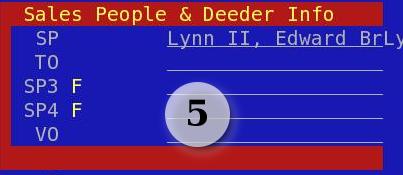
SP: Enter Salesperson's number.
TO: Enter TO's number.
SP3: If necessary, enter SP3 type, "F" or "B", followed by their number.
SP4: If necessary, enter SP4 type, "F" or "B", followed by their number.
F2 to save.
All of the information entered may be edited from the Contract edit screen.